Showing posts with label project. Show all posts

Sunday, February 16, 2014

8 (free) websites to create cool student projects online

Creating an online project is a great way to help students to demonstrate that they have learned something. Below you will find 8 websites that offer great options for any teacher and all are free to use. The first five have screenshots of examples that I created.

Fake Movie Poster
Creating a movie poster is a great school project. With this simple website, the task is that much easier. Students simply upload an image, add a few details for the text and then share their completed poster with the teacher. This project works is a great for history, science, or as a final project after reading a novel.

___________________________________________________

Photovisi
Here is another website to create great poster projects. With this site you can add many photos to create a collage or other types of posters. The site features many templates as well as a wide selection of other enhancements to make stunning posters.

____________________________________________________

Be Funky
This site is better known for its photo editing but it also allows users to create photo collages. You select your layout, add your photos and then add text and your project is done. Final products can be saved to your computer, shared to Flickr or other social media sites.


_________________________________________________________

Poster My Wall
Yet another terrific site for creating poster projects for the classroom. The site is easy to use and navigate. Just select a template and change or add content as you desire. Every aspect of a poster template can be changed and you can add more pictures or text if you need. Once done there are a variety of ways in which the final poster can be shared including email.

____________________________________________________

Mural.ly is a fantastic online tool that appears to be intended for business but would work really well in the classroom. The site allows you to create online poster like presentations by adding pictures, text, websites, documents, and a host of other bells and whistles. The site also allows others to collaborate on the poster with you by a simple email invite and then they can join in. Mural.ly is a great resource for group projects and it is free to join and free to use.


_________________________________________________

Word Draw is a site that offers free professional looking templates for newsletters, flyers, labels, and resumes. The sites newsletter templates are categorized for education, business, family, holidays, and by month. The templates must be downloaded and are compatible for all versions of Microsoft Word.
These templates can also be utilized for a class newspaper, projects or even reports. 

_____________________________________________

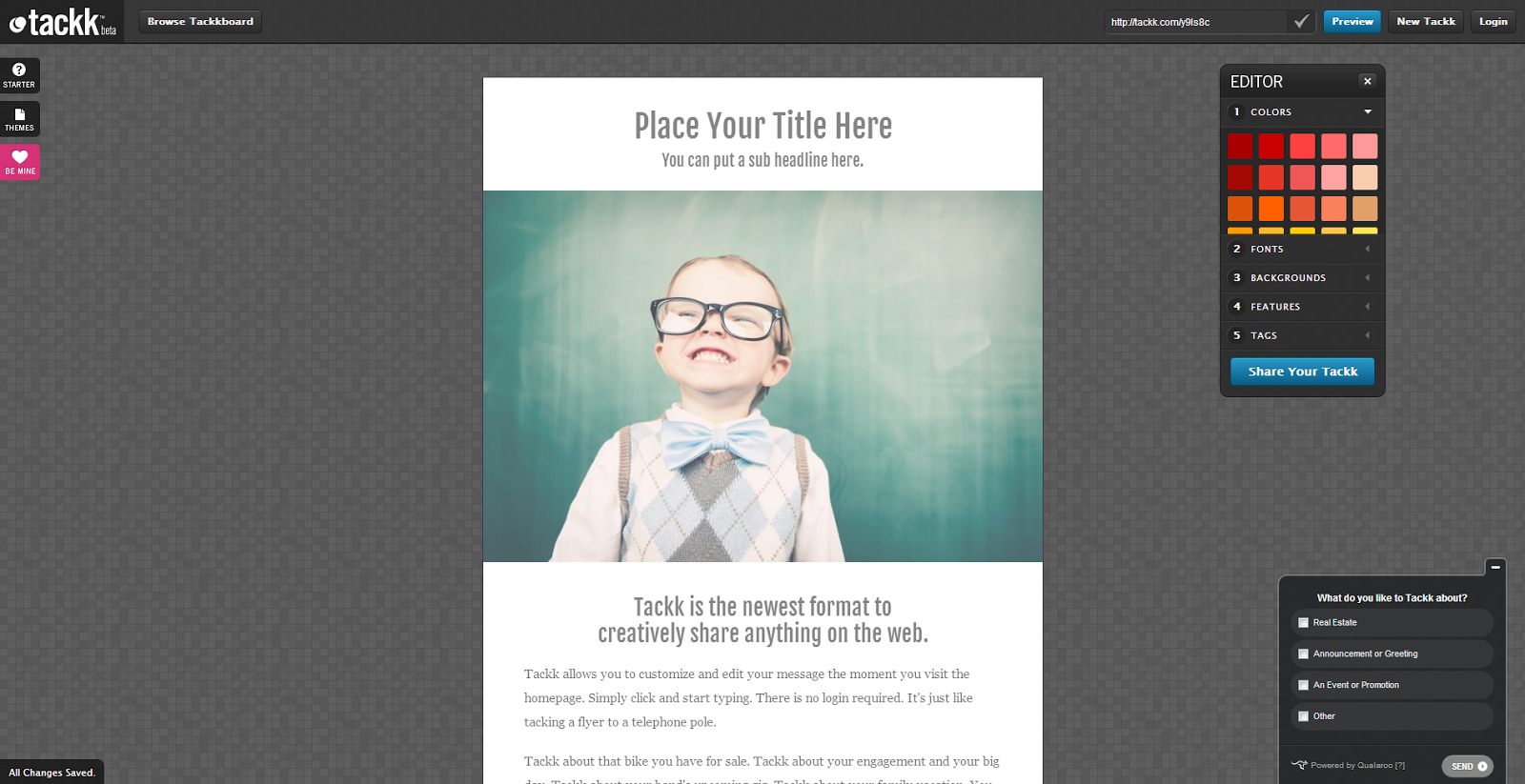
Tackk allows you to create online posters that can be shared via email, social media or be embedded onto a webpage or blog. As soon as you arrive on the website you can start creating your poster by editing their ready made template. You can easily add a title, body text, pictures, videos, and even songs. You can add content from You Tube, Instagram, Vimeo, Sound Cloud, Hulu, and Spotify. Creating an online poster with Tackk is so easy to do. 

_____________________________________________

With Picovico, you can turn simple photographs into cool videos. Once you sign up (it's free) you begin by choosing a video template and then adding your pictures from Facebook, Flickr, or your computer. You can set the order of your pictures, add captions to them and add text slides if you wish. Next you add music, either from their library or add your own from your computer. Your last step is to add a video title and any additional text and you're done. Completed videos can be uploaded to You Tube or Facebook and can even be embedded into a website or blog. The site does have a 30 picture maximum but that is long enough for most people.



Monday, December 2, 2013

4 websites for creating student projects

1- Mural.ly
Mural.ly is a fantastic online tool that appears to be intended for business but would work really well in the classroom. The site allows you to create online poster like presentations by adding pictures, text, websites, documents, and a host of other bells and whistles. The site also allows others to collaborate on the poster with you by a simple email invite and then they can join in. Mural.ly is a great resource for group projects and it is free to join and free to use.

_________________________________________________

2- Word Draw
Word Draw is a site that offers free professional looking templates for newsletters, flyers, labels, and resumes. The sites newsletter templates are categorized for education, business, family, holidays, and by month. The templates must be downloaded and are compatible for all versions of Microsoft Word.
These templates can also be utilized for a class newspaper, projects or even reports. If you desire professional looking documents and newsletters then head over to Word Draw and their excellent selection of Word based templates.

_____________________________________________


3- Tackk
Tackk is a site I wrote about in one of my first blog posts and I thought it was worth mentioning again. Tackk allows you to create online posters that can be shared via email, social media or be embedded onto a webpage or blog. As soon as you arrive on the website you can start creating your poster by editing their ready made template. You can easily add a title, body text, pictures, videos, and even songs. You can add content from You Tube, Instagram, Vimeo, Sound Cloud, Hulu, and Spotify. Creating an online poster with Tackk is so easy to do. Check out their Tackkboard to see what other people have created. Teachers could also use Tackk and have students create online posters as a project. Tackk is free to join and it is one of those great websites that anyone can use and everyone will enjoy.

_____________________________________________

4- Picovico
With Picovico, you can turn simple photographs into cool videos. Once you sign up (it's free) you begin by choosing a video template and then adding your pictures from Facebook, Flickr, or your computer. You can set the order of your pictures, add captions to them and add text slides if you wish. Next you add music, either from their library or add your own from your computer. Your last step is to add a video title and any additional text and you're done. Completed videos can be uploaded to You Tube or Facebook and can even be embedded into a website or blog. The site does have a 30 picture maximum but that is long enough for most people. If you like making great videos and sharing them with friends and family then give Picovico a try.


Wednesday, February 6, 2013

Tackk - An Easy Way to Create and Share Online Posters

Tackk is a site I wrote about in one of my first blog posts and I thought it was worth mentioning again. Tackk allows you to create online posters that can be shared via email, social media or be embedded onto a webpage or blog. As soon as you arrive on the website you can start creating your poster by editing their ready made template. You can easily add a title, body text, pictures, videos, and even songs. You can add content from You Tube, Instagram, Vimeo, Sound Cloud, Hulu, and Spotify. Creating an online poster with Tackk is so easy to do. Check out their Tackkboard to see what other people have created. Teachers could also use Tackk and have students create online posters as a project. Tackk is free to join and it is one of those great websites that anyone can use and everyone will enjoy.


Tuesday, December 18, 2012

Can I get a Woot Woot!

Today, I will be starting with a site called Zeen. This free site allows you to collect your favorite pictures and videos from the internet and add your text to create an interactive digital magazine that you can share with other people. This site could be used for school projects, invitations, online memory books, business portfolios, and advertising just to name a few options.

Woot is a personal favorite of mine. It isn't your typical shopping site because it doesn't offer a wide variety of products to purchase. Instead, it gives you one deal per day at a deep discount. While I usually don't buy their "deal of the day" I have been known to make purchases when it is something I really need or want. Woot has grown in popularity to where there is a wide variety of Woot sites including techWoot, sportWoot, homeWoot and even a wineWoot. If you have never heard of Woot, head on over and check it out.


"How 'bout cupcake?" is one of my all time favorite videos (very cute) but seriously  how about cupcakes? Here is a collection of 30 cupcake recipes from a site called Slow Robot. It includes pictures for each recipe and it will make you hungry as you look at all the choices. Happy baking.


Monday, November 12, 2012

More (cool) websites

Soothing Sounds
There are few things as soothing and relaxing as listening to rain fall outside. To enjoy the sound of rain anytime and anywhere you can go to Rainy Mood.com and enjoy mother nature's perfect white noise.

Amazing Photography
Planet Earth is an amazing place and Trek Earth wants to share it with you. This is a travel themed website that features some of the most amazing photography from all over the world. This site is not only great for travelers, it can be used by foreign language, geography, science and history teachers as well.

History in color
Speaking of history, at this site, they feature colorized versions of famous people and events from the past 150 years. It is stunning to see color photographs of Lincoln, Einstein, Anne Frank, and other iconic pictures.

DIY
Blocklayer is a site that features amazingly handy tools for the home "Do it Yourselfers" out there. Need help calculating the proper angle for stairs? Want to install a deck? This website will help you with those projects and more.

DIY the sequel
Finally, another excellent site to help you learn to do almost anything is 5 Minutes. They feature short "how to" videos on a wide array of topics. Check out this helpful site the next time you want to learn something new.